A practical guide to calibration, characterization, print conditions, and conversion decisions across the full graphic production workflow.
Overview
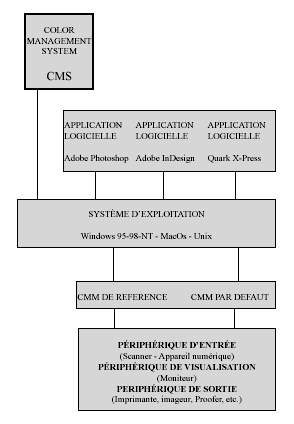
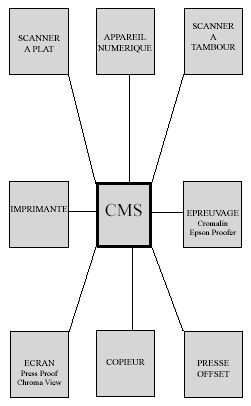
Color management exists because every device in the production chain sees and reproduces color differently. Cameras, scanners, monitors, proofing devices, and presses each operate inside their own color gamut, and none of them describe color in exactly the same way. A color management system bridges those differences by describing each device mathematically and then translating color from one device to another as reliably as possible.
That translation depends on two things: stable devices and accurate profiles. Capture devices are affected by sensor quality, light sources, mirrors, and analog-to-digital conversion. Displays depend on panel behavior, graphics cards, lookup tables, and ambient viewing conditions. Output devices add further complexity because inks, toners, media, screening, and press settings all influence the final result. In other words, color management is never only about software. It is a production discipline that depends on controlling the entire chain.
Calibration and Characterization
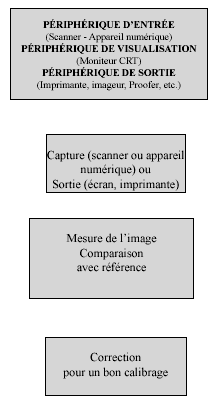
Calibration and characterization are often mentioned together, but they are not the same operation. Calibration brings a device to a defined, repeatable state. Characterization, also called profiling, measures that calibrated state and records how the device actually behaves in a profile that color management software can use.
Calibration changes the device. Profiling describes it. Both are required. A monitor, scanner, or printer that has not first been stabilized will produce a profile that becomes unreliable as soon as the device drifts away from the conditions under which the profile was created.
Monitor Setup
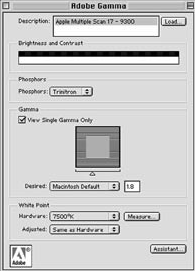
The monitor is the first decision point in the workflow, so it must be trustworthy. Visual calibration tools can be useful for rough setup, but instrument-based calibration with a colorimeter is far more reliable, especially when multiple displays need to match one another.
Monitor calibration should define brightness, contrast, gamma, and white point under controlled ambient light. The workstation should also be allowed to warm up before measurement. In practice, regular recalibration is essential because displays drift over time. A monitor that looked acceptable two weeks ago may already have shifted enough to affect approval decisions today.
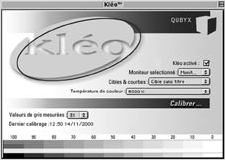
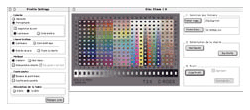
Once the monitor has been calibrated, it can be profiled. Profiling measures a sequence of neutral and colored patches, compares those measurements with reference values, and builds a monitor profile that applications can use for accurate display conversion.
Scanner and Camera Characterization
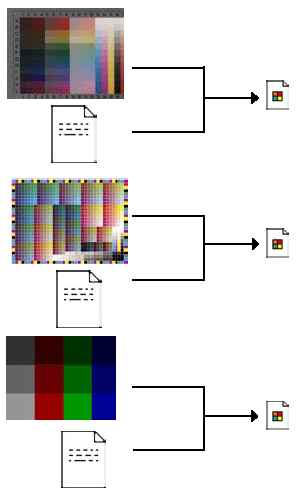
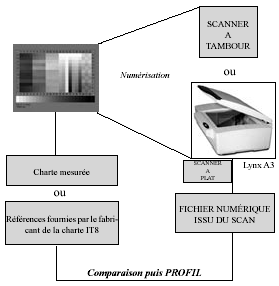
Input devices also need reliable profiling. For scanners, this is typically done with an IT8 target. The chart is scanned, the captured RGB values are compared with measured reference data, and software calculates a profile that describes the scanner response. For cameras, the same principle applies, although the variability of the lighting environment makes strict control even more important.
The point of the target is simple: it gives the profiling software a known reference. Without that reference, the system can only guess how the device interprets color. With it, the software can map scanner or camera behavior to a standard color space and reduce uncertainty throughout the workflow.
IT8 Targets
IT8 targets were defined to support scanner characterization in graphic arts and photography. Because scanners, films, and reflective originals all behave differently, the target has to provide enough chromatic information for the software to understand those variations. This is why target quality matters. Generic reference data may be acceptable for basic work, but individually measured targets provide much stronger accuracy for professional production.
Different suppliers offer reflective and transmissive targets, and some provide variants tailored to specific film stocks. The more closely the target reflects the material actually being scanned, the more reliable the resulting profile will be.
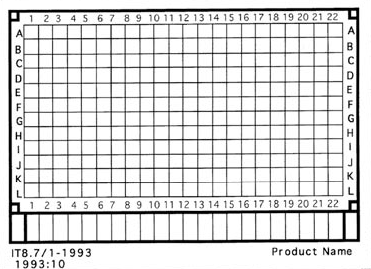
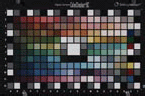
The ANSI standards most often associated with this stage are IT8.7/1 for transmission targets, IT8.7/2 for reflection targets, and IT8.7/3 for four-color process characterization data. Other targets, such as the ColorChecker family, serve a similar role in practical workflows.
Printer and Press Profiling
Output profiling is more demanding than input profiling because a print condition is not defined by the printer alone. It is defined by the complete process: the press or printer, the ink set, the substrate, the screening behavior, the total ink limit, and the intended production standard. That is why a print profile should always describe a specific print condition rather than a generic machine in isolation.
Calibration at this stage is used to stabilize density, tone reproduction, and gray balance. Profiling then measures a printed target and creates a profile that describes how that condition reproduces color. If the substrate changes, or if inks or press settings change significantly, the profile should be reviewed and often rebuilt.

FOGRA Control Strips
FOGRA control strips are widely used to verify whether a proofing or printing condition is behaving as expected. These strips make it possible to monitor tone values, solid ink density, gray balance, and other critical production variables. They provide a shared reference between calibration, profiling, and process control on press.
RGB or CMYK Printer
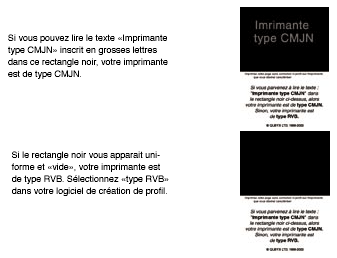
Many printers physically use CMYK inks, yet the driver or RIP may accept RGB data and handle the conversion internally. For profiling, this distinction matters. You need to know whether the device should be treated as an RGB printer driven by its own internal conversion logic, or as a CMYK process that expects already-separated data. The wrong assumption here leads to unstable or misleading profiling results.
Paper, Ink Limit, and Dot Gain
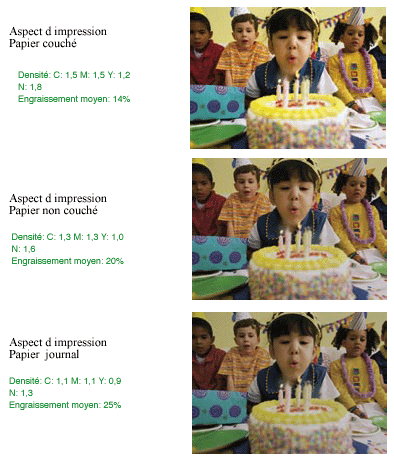
Paper choice is one of the strongest variables in print reproduction. Coated papers support higher color saturation and cleaner detail. Uncoated stocks absorb more ink, soften contrast, and require a lower total ink load. Newsprint pushes those limits even further. The same CMYK values can therefore produce very different results on different substrates.
Two concepts are especially important here: maximum ink coverage and dot gain. Maximum coverage determines how much total ink the paper can tolerate before drying, trapping, and shadow detail become unstable. Dot gain describes how tonal values grow from film or file to the printed sheet. Both parameters shape the profile and strongly influence separation settings.
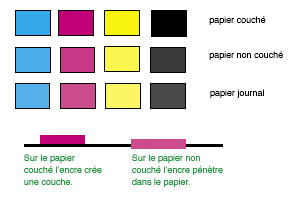
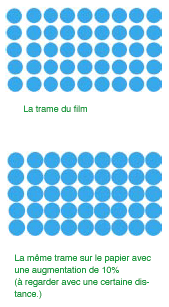
As paper becomes more absorbent, dark tones fill in more quickly and the usable ink limit drops. This is why profiles and separations intended for coated stock should not simply be reused for uncoated or newsprint workflows.
Black Generation: UCR, GCR, and UCA
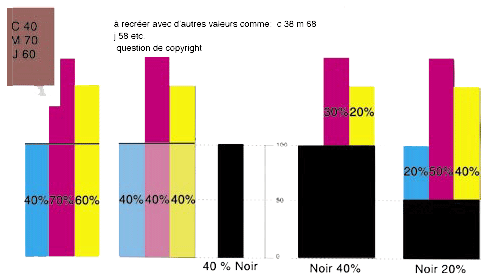
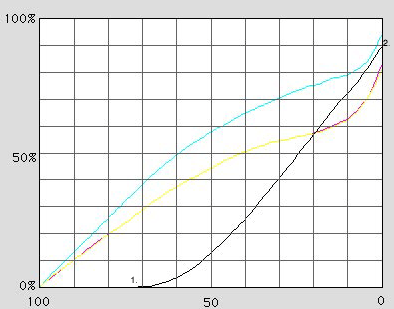
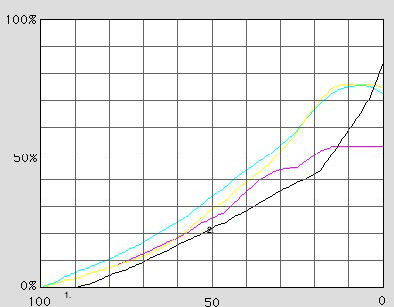
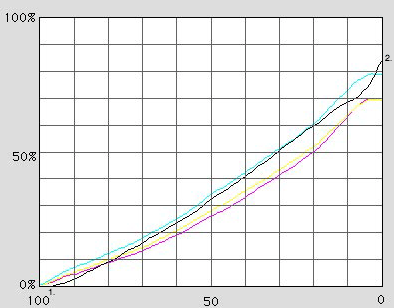
Once a print condition is known, separation strategy becomes the next major decision. The goal is not simply to convert RGB or Lab to CMYK, but to decide how black should participate in that conversion. UCR removes undercolors mainly in neutral dark areas. GCR replaces gray components with black over a broader range. UCA adds sub-colors back into dark regions to strengthen depth when the substrate allows it.
On uncoated papers and newsprint, stronger gray-component replacement usually helps because it lowers total ink and protects dark detail. On coated papers, richer black builds and selective sub-color addition can increase depth and contrast. There is no universal recipe. The best setting depends on the paper, press stability, desired contrast, and tolerance for hue shifts in sensitive areas such as skin tones.




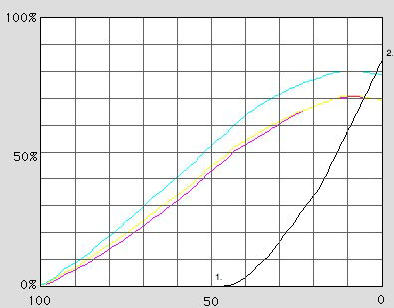
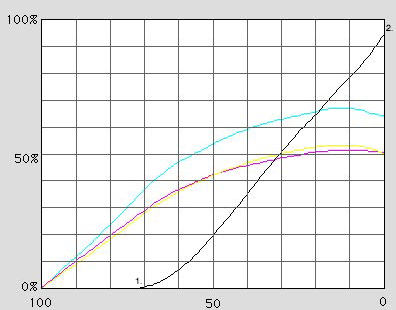
In practice, a long and relatively narrow black often offers a safe balance: stable neutrals, controlled skin tones, and flexibility across several paper grades. Coated papers typically allow higher total ink coverage, while uncoated stocks and newsprint require lower limits and broader use of black to keep the image open.
Practical Targets for Black Generation
As a working guide, coated papers often operate in the range of roughly 320 to 360 percent total ink, uncoated papers around 270 to 300 percent, and newsprint considerably lower. These values are not absolute rules, but they provide a practical starting point when choosing a separation strategy and evaluating whether a profile is realistic for the target press condition.
Building Printer Profiles
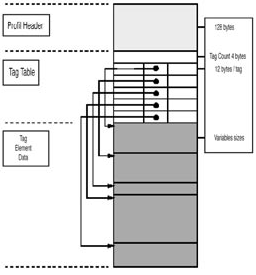
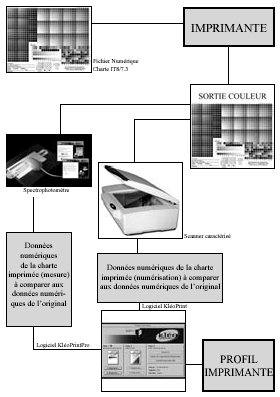
Before profiling a printer or press condition, calibration should already have stabilized its tone reproduction behavior. Profiling then measures a printed target, compares those measurements with the source data, and builds the ICC description for that exact condition. Because this relationship changes with paper, ink, and maintenance state, output profiles must be reviewed regularly and updated whenever the production condition changes in a meaningful way.
Some systems use a dedicated spectrophotometer. Others can rely on a previously characterized scanner as a measurement device. The principle stays the same: if the measurement is trustworthy, the profile can become trustworthy.
Tools on the Market
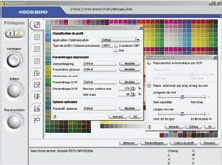
A complete color-managed workflow relies on both instruments and software. Densitometers, colorimeters, spectrocolorimeters, and spectrophotometers are used to stabilize and measure devices. Profiling tools then translate those measurements into monitor, scanner, camera, proofing, or press profiles. PerfectChroma, among other vendors, positioned its products across this chain, from display calibration to scanner and printer characterization.
Working in Lab, RGB, or with Embedded Profiles
Once the chain is controlled, production still needs a practical working space. Lab offers the broadest and most neutral exchange space, but many design and production applications remain more comfortable in RGB. A standardized RGB workspace can therefore be a strong operational compromise: wide enough for editing, stable enough for exchange, and easier to support in real production environments.
Embedded profiles make that exchange safer. When a file carries its source profile, the receiving application knows how to interpret the color values instead of guessing. This is especially important when files move between studios, operators, or systems that do not all share the same default workspace.
The essential rule is simple: choose a controlled working space, keep device profiles accurate, and only convert into the final print space when the production target is clearly known.