Professional display measurement tools provide lab-grade colorimetric measurements for luminance, white point, contrast, and uniformity - directly from your calibrated sensor.
Software sliders and eyeballing cannot measure luminance, white point, or uniformity. PerfectChroma connects directly to supported sensors so your decisions are based on readings, not guesswork. Most professionals rely on eye-balling or outdated factory specs. Without proper display measurement tools, critical display characteristics like luminance drift, color shift, and uniformity errors remain invisible until they ruin deliverables.
Display brightness drops by 20-40% over 3 years. Without proper display measurement tools to track nit values regularly, you'll be editing in the dark - literally.
Even a 200K shift in your white point - invisible to the naked eye - causes systematic blue or yellow casts across every image you grade. Catch it early with precise display measurement tools.
Corner-to-corner brightness and color variances of 15-30% are common on IPS panels, silently creating gradients across your composition canvas.
Read live nit values, track white point drift, inspect patch behavior, and validate panel consistency with measurement tools built for repeatable professional calibration. PerfectChroma's display measurement tools read directly from your colorimeter or spectrophotometer - bypassing OS color management entirely - to deliver raw, unmodified hardware truth about your display's current state.
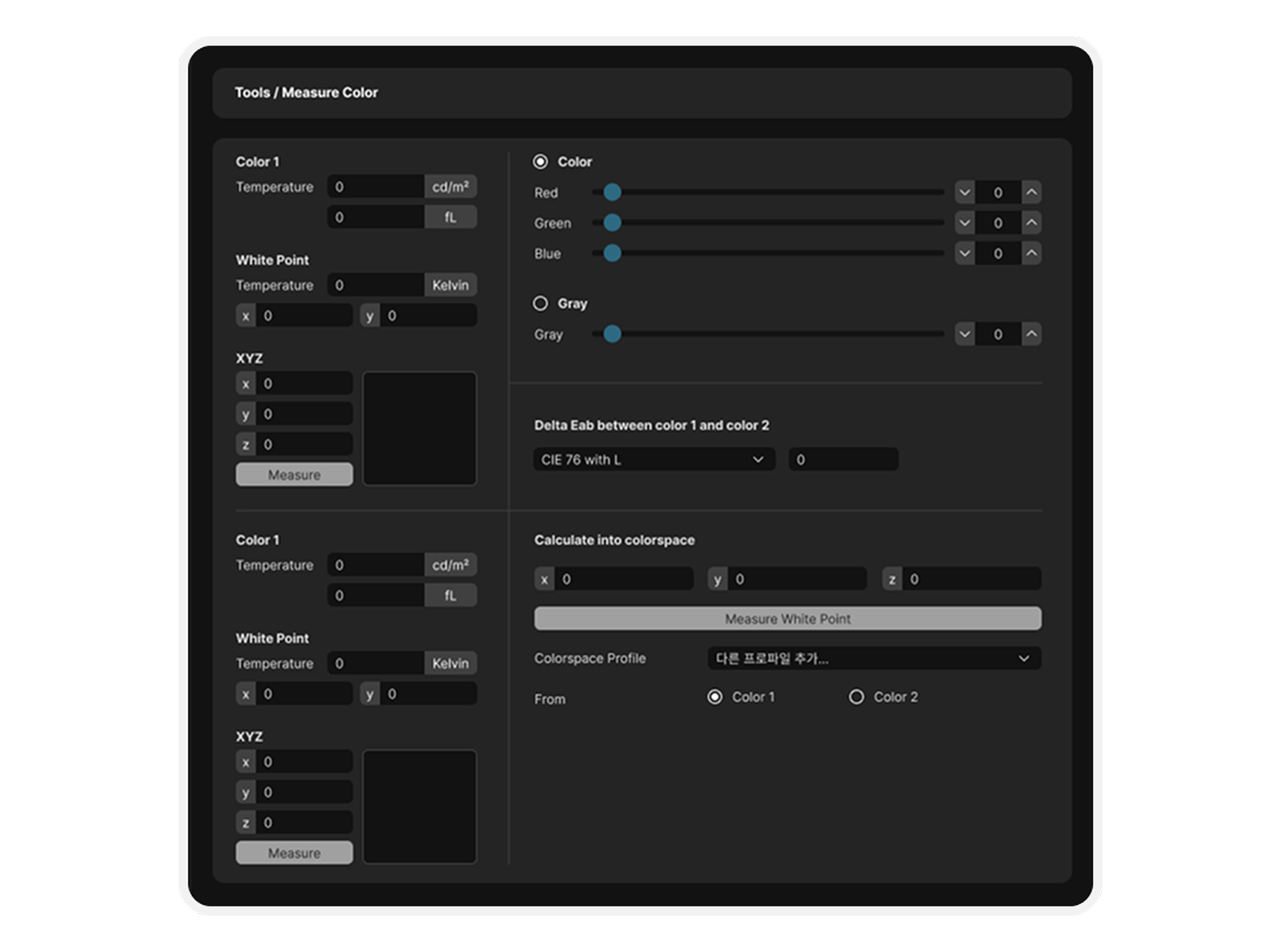
Stop guessing. Start measuring. Every display decision backed by real numbers from precise display measurement tools.
Replace subjectivity with science. Every measurement is a hardware ground-truth reading, not an estimate.
Know your display is production-grade before you approve a final grade or send files for print.
Log measurements over time and track when your panel drops below professional thresholds. Make upgrade decisions with data, not gut feel.
Generate professional PDF measurement reports for studio audits, client handoffs, or post-purchase QC documentation.
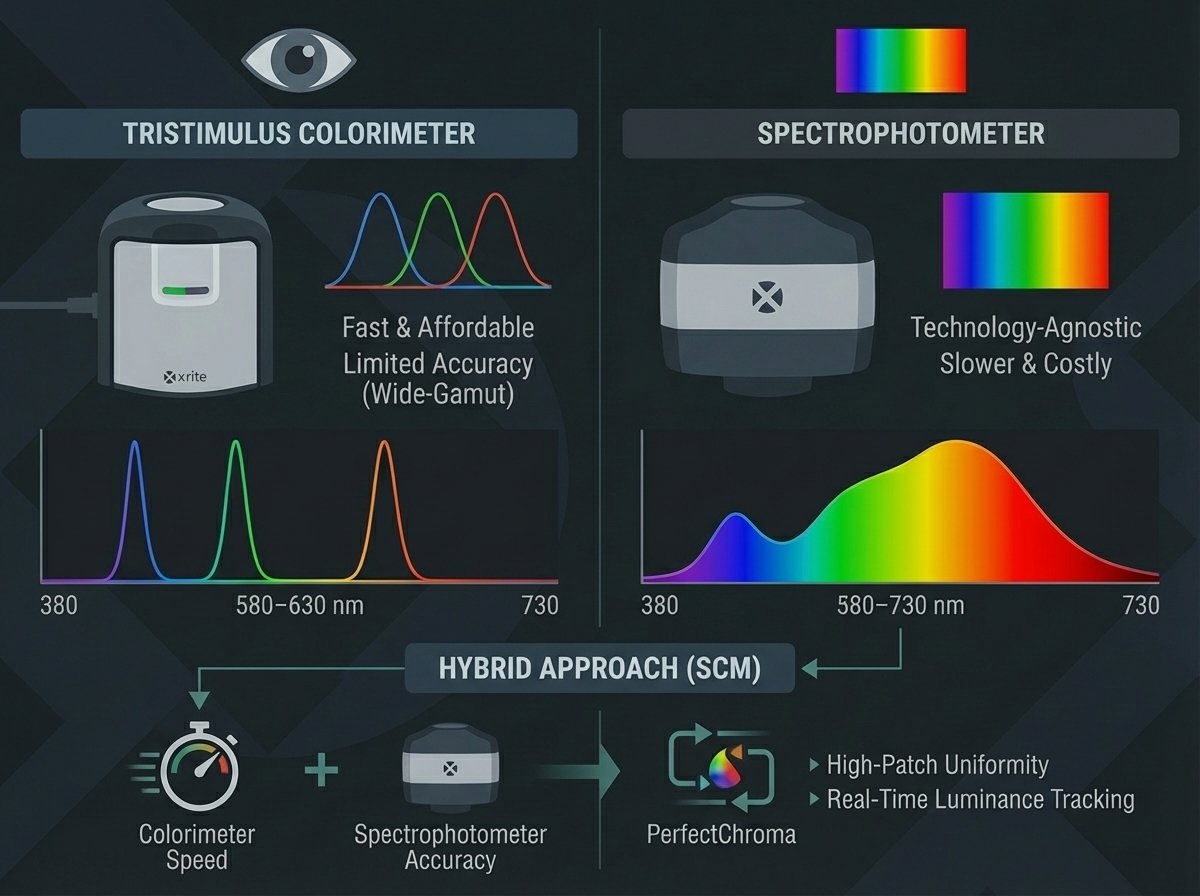
The precision of your display measurement tools depends fundamentally on the type of sensor you use. Tristimulus colorimeters (e.g., X-Rite i1Display Pro, Calibrite ColorChecker Display) use filtered photodiodes that simulate the human eye's three cone response curves. They are fast (typically 0.5-2 seconds per patch) and affordable, but their accuracy degrades on wide-gamut displays with non-standard backlight spectra (e.g., WLED, GB-LED, OLED).
Spectrophotometers (e.g., X-Rite i1Pro 3, Colorimetry Research CR-250) measure the full visible spectrum (380-730 nm) and compute CIE XYZ values from spectral data. This makes them technology-agnostic - equally accurate on CCFL, WLED, OLED, and MicroLED panels. The trade-off is slower measurement speed (3-8 seconds per patch) and higher cost.
PerfectChroma supports spectral correction matrices (SCMs) for your display measurement tools, allowing you to profile a colorimeter against a reference spectrophotometer. This hybrid approach gives you spectrophotometer-grade accuracy at colorimeter speed - critical for high-patch-count uniformity scans and real-time luminance tracking workflows.
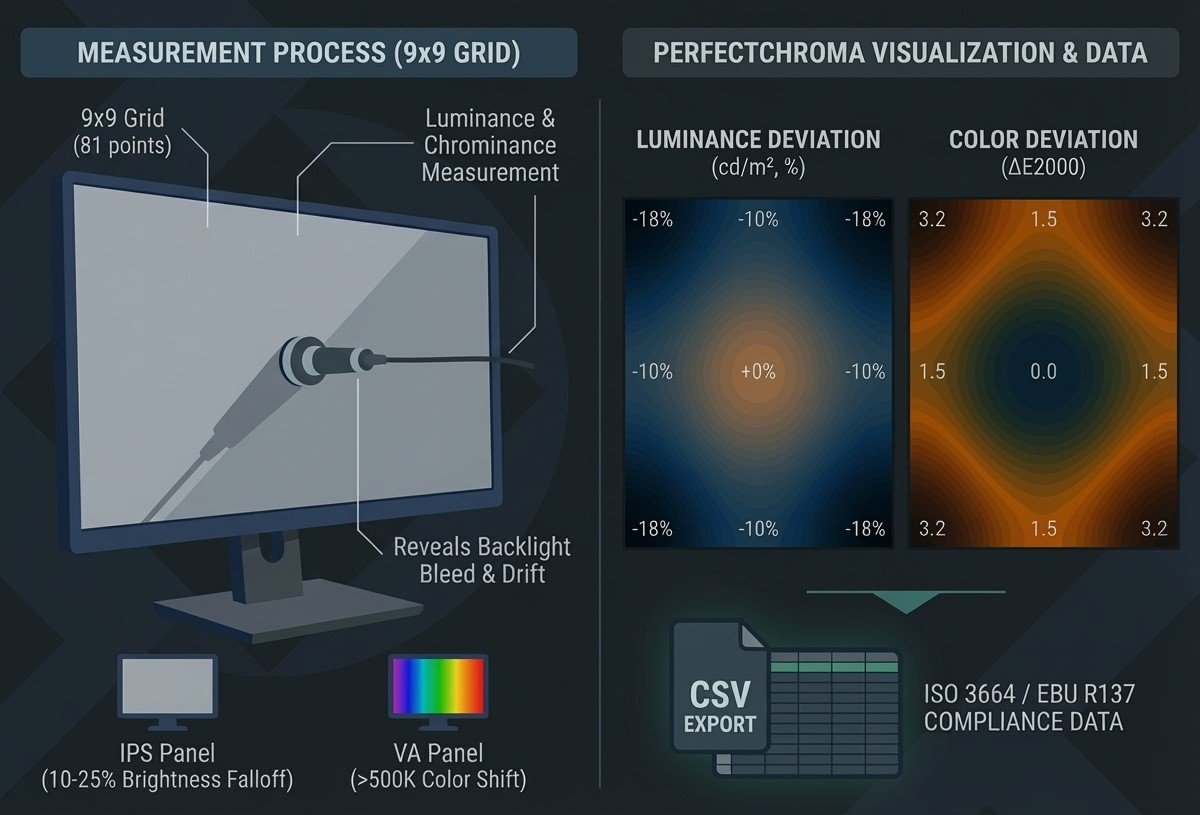
Even the most expensive professional-grade monitors exhibit measurable luminance and chrominance variation across the panel surface. IPS panels commonly show 10-25% brightness falloff from center to corners, while VA panels may exhibit color temperature shifts exceeding 500K at extreme viewing angles. These variations are invisible during normal use but can systematically bias your color editing decisions.
PerfectChroma's 9x9 uniformity measurement grid (81 measurement points) creates a detailed heatmap of both luminance deviation (in cd/m2 and percentage) and color deviation (in Delta E2000 from center reference). The resulting visualization instantly reveals backlight bleed zones, edge-lit hotspots, and chromaticity drift patterns specific to your panel's backlight architecture.
For studios operating under ISO 3664 or EBU R137 compliance requirements, uniformity data is a mandatory part of the display qualification process. PerfectChroma exports this data as both a visual heatmap and a structured CSV dataset suitable for inclusion in formal studio audit documentation and equipment procurement evaluations.
Everything you need to know about precision display measurement with PerfectChroma.
Connect your colorimeter and let PerfectChroma tell you exactly what your display is actually doing - in real time.